
Are you also tired of spending a fortune on ink cartridges every month? I already asked that question on my old blog in 2010 and 2013. In 2026 the answer is finally simple: buy an ink tank printer.
On my old blog I wrote three times about which wireless all-in-one printer to buy (in Dutch). Back then I recommended the HP Officejet Pro 8500 and 8600 (which I owned myself), and for a smaller budget the Canon Pixma MG4250 and the HP Photosmart B110a. Those printers have all disappeared, and the printer market has changed a lot since. In this article I put everything in a row again.
What has changed since 2013?
- Ink tank printers. You refill ink from bottles instead of buying expensive cartridges. The printer costs more, but a page costs only a fraction of a cent. Epson calls them EcoTank, Canon MegaTank (the G series), HP Smart Tank and Brother InkBenefit.
- Printing from your smartphone is standard. Every Wi-Fi printer works directly with your iPhone (AirPrint) or Android phone (Mopria). No more cables.
- Ink subscriptions. HP (Instant Ink), Canon, Epson and Brother sell ink per month: you pay for a number of pages and the ink arrives in your letterbox automatically.
- Faxing is something hardly anyone still does. A 3-in-1 (print, scan, copy) is enough.
Which type of printer suits you?
- You print regularly, also in colour: an ink tank printer. By far the cheapest in the long run.
- You print almost only text, and sometimes nothing for weeks: a black-and-white laser printer. Ink can dry up if you don't print for weeks; toner doesn't.
- You print a lot for work, also in colour: a colour laser or an ink tank printer with a document feeder and double-sided printing.
- You print a lot of photos: a photo printer with six ink colours.
- A cheap cartridge printer for £50 to £90 I only recommend if you really hardly ever print. The cartridges are small and expensive.
My picks
Prices are the lowest UK prices on idealo.co.uk on November 13, 2026. Under “Prices in other countries” you can compare them with the Netherlands (Tweakers), Spain, Germany and France. All printers below have Wi-Fi.
Budget: up to £230
Click the photo for this model’s official site
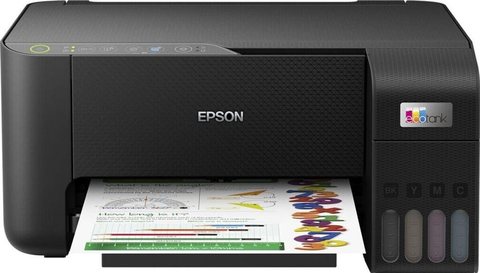
Epson EcoTank ET-2860
Ink tank, colour, 3-in-1My pick for most people. Print, scan and copy over Wi-Fi, and the ink (Epson 104) is dirt cheap: a £9 bottle of black is good for 4,500 pages.
Prices in other countries
Click the photo for this model’s official site
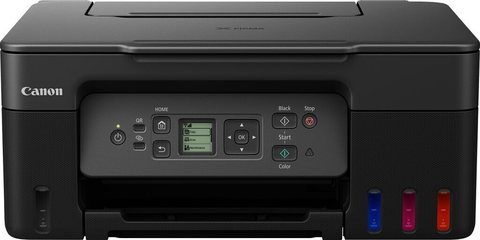
Canon Pixma G3570
Ink tank, colour, 3-in-1Canon's alternative, also with Wi-Fi. A bottle of black ink (GI-51) is good for 6,000 pages, the colours for 7,700 pages.
Prices in other countries
Click the photo for this model’s official site
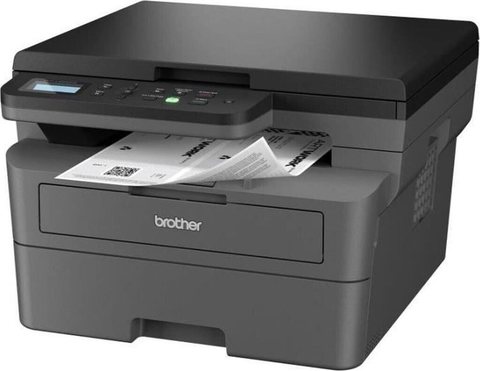
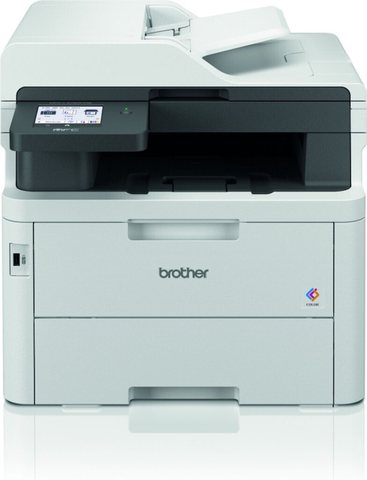
Brother DCP-L2620DW
Laser, black and white, 3-in-1Do you print almost only text, and sometimes nothing for weeks? Then a black-and-white laser printer is ideal: toner doesn't dry out like ink.
Prices in other countries
Click the photo for this model’s official site
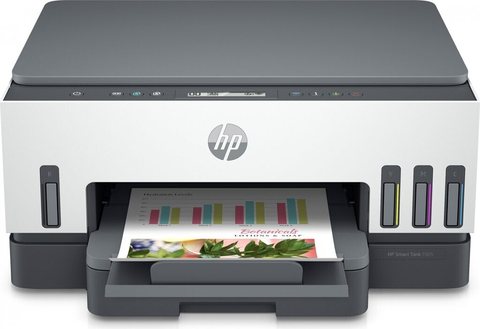
HP Smart Tank 7005
Ink tank, colour, 3-in-1According to TechRadar one of the best ink tank printers for home use, with plenty of ink in the box.
Prices in other countries
Mid-range: £230 to £420
Click the photo for this model’s official site
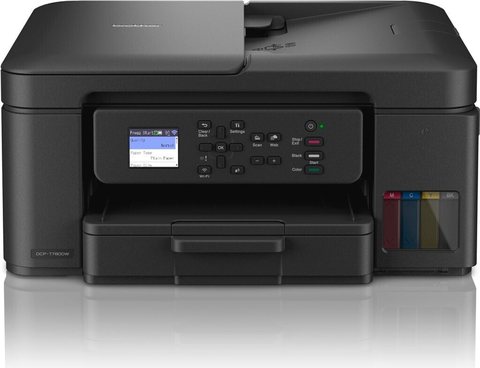
Brother DCP-T780DW
Ink tank, colour, 3-in-1Brother's ink tank printer with low running costs. TechRadar calls it the best for crafts.
Prices in other countries
For photos
Click the photo for this model’s official site
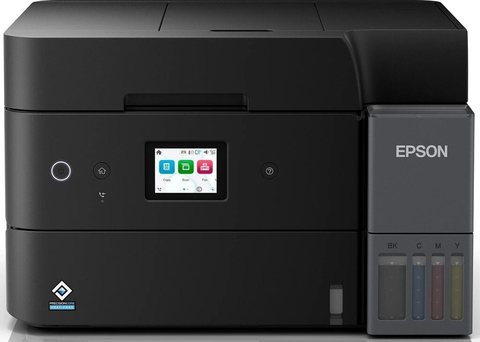
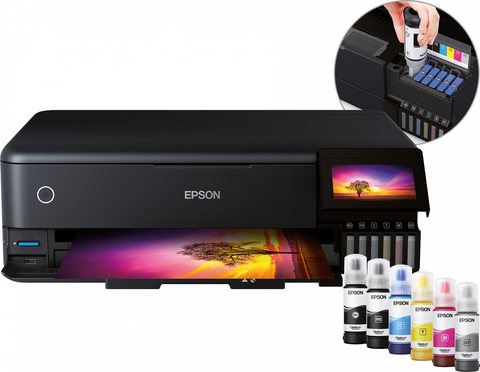
Epson EcoTank ET-8550
Ink tank, colour, photo, A3For people who print a lot of photos. Six ink colours, borderless photos up to A3 and prints on thick paper. TechRadar's pick for photos.
Prices in other countries
What does a printer cost after 3 years?
To show how big the difference is, I compare the cheap HP DeskJet 2820e with cartridges to the Epson EcoTank ET-2860. I use the manufacturers' official page yields and today's lowest UK prices on idealo.co.uk: the HP 305XL black (£14.02 for about 300 pages) and the HP 305XL tri-colour (£14.21 for about 200 pages), versus a set of Epson 104 bottles (£29.72 for 4,500 black and 7,500 colour pages). I don't count the ink that comes with the printer. I assume 5 out of 6 pages are text and 1 out of 6 in colour.
| HP DeskJet 2820e cartridges | Epson EcoTank ET-2860 ink tank | |
|---|---|---|
| Purchase price | £92.14 | £225 |
| Ink per text page (black) | 4.7p | 0.2p |
| Ink per colour page | 7.1p | 0.3p |
| Total after 3 years, 50 pages a month | £190.66 | £254.72 |
| Total after 3 years, 150 pages a month | £373.49 | £254.72 |
In the UK the cheap cartridge printer is still a bit cheaper after three years if you print 50 pages a month, because the ink tank printer costs more up front there. At 150 pages a month the cartridge printer costs you almost half as much again, and the gap keeps growing every year after that.
My tips
- Be careful with fake cartridges and ink from other brands. Some printers, especially from HP, refuse cartridges from other brands after a firmware update. HP did this as recently as January 2026 on at least eleven printer models. HP's e models (with HP+) also only work with original HP cartridges. With ink tank printers this problem is much smaller, because the original ink is already cheap.
- An ink subscription is only worthwhile if you print about the same amount every month. Read the terms: with HP Instant Ink, the subscription cartridges stop working when you cancel.
- If you use an inkjet printer, print at least one page a week, so the print head doesn't dry out.
- Check the ink in the box. With ink tank printers it is often enough for thousands of pages; with cheap cartridge printers sometimes only for a few dozen.
Sources
- idealo.co.uk (UK prices from November 13, 2026), Tweakers Pricewatch (Dutch prices from November 12, 2026) and idealo.es/.de/.fr
- TechRadar: Best home printer of 2026
- TechRadar: Best ink tank printer of 2026
- Canon: Pixma G3570 specifications
- Epson: 104 EcoTank ink
- HP: 305XL black and 305XL tri-colour
- TechSpot: HP firmware blocks third-party cartridges
- My original articles from 2010 and 2013 (Dutch)
Questions and comments
Ask a question or leave a comment. It appears only after I have approved it.
No approved comments yet.