
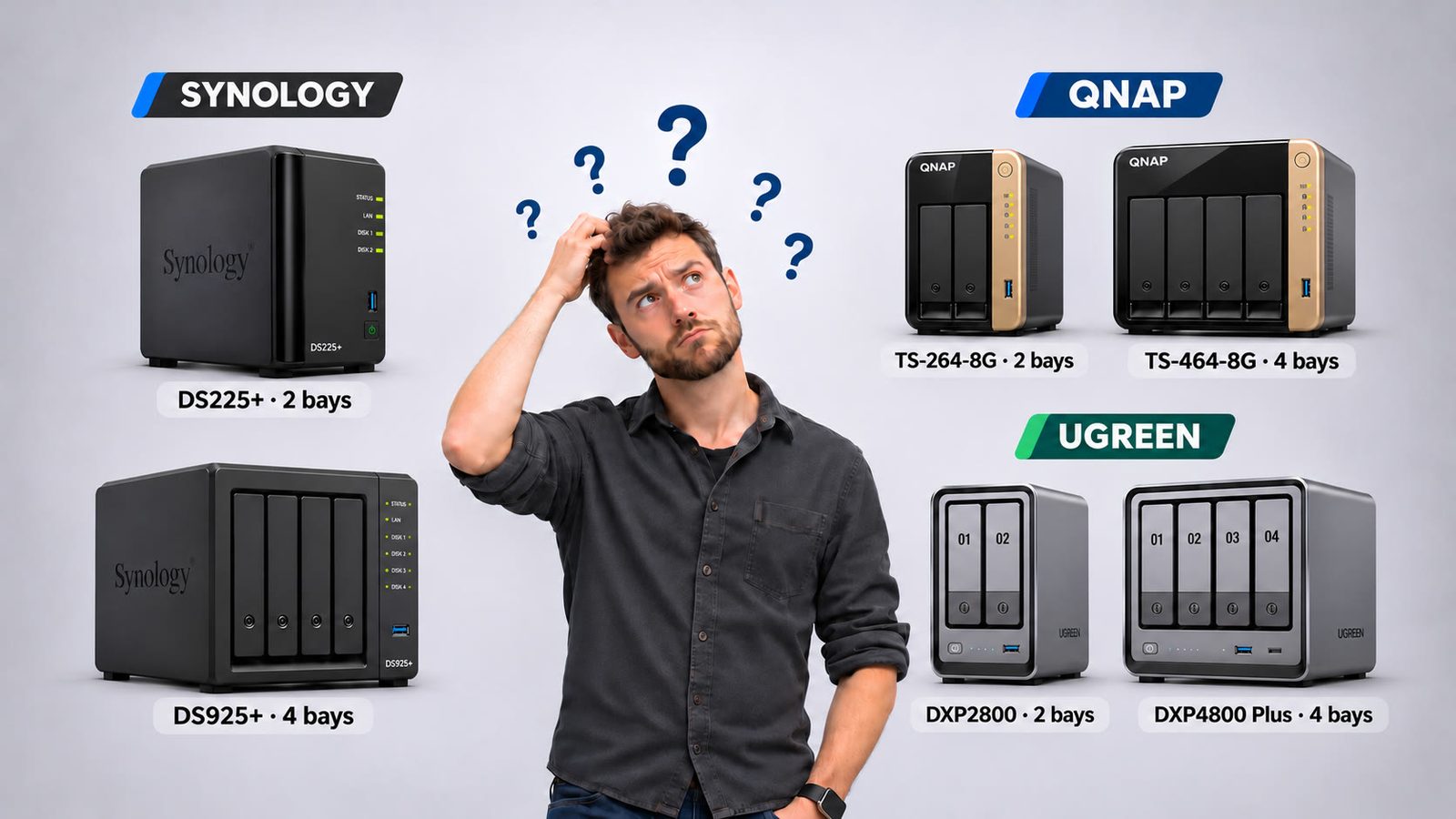
There are dozens of NAS models, with prices from a few hundred to over a thousand euros. You don’t need to compare spec sheets, though. If you first decide what you want to do with it, the choice usually narrows to one or two models. Not sure what a NAS is yet? Read my previous article, What is a NAS?.
1. What will you use it for?
- Just backups and file sharing: a simple two-bay NAS is plenty.
- Storing the whole family’s photos automatically: two or four drives, and a brand with a good photo app.
- Streaming films and series (Plex or Jellyfin): watch the processor. If you want to transcode 4K video for your TV or phone, you need a stronger chip.
- Camera surveillance, Docker apps or your own server: pick a model with more processing power and at least 8 GB of memory.
2. How many drive bays?
Two bays let you mirror your data (RAID 1); four bays give you more space and more options. A NAS with more bays than you need today is often smarter than buying a new one later: start with two drives and expand.
3. Processor and memory
A modest processor is enough for storage and backups. For a media server, virtual machines and cameras you need more. For example, the Synology DS425+ uses a 2019 Celeron J4125 with 2 GB of memory. That is fine for basic use but tight for more. The UGREEN DXP4800 Plus has an Intel Pentium Gold 8505 with 8 GB of DDR5 (expandable to 64 GB).
4. Network speed
Most home networks run at 1 Gbit/s, so even 2.5 GbE is an upgrade. If you want to copy large video files very quickly, look at 10 GbE. For example, the UGREEN DXP4800 Plus has 10GbE plus 2.5GbE, while the Synology DS925+ has two 2.5GbE ports. It only pays off if your router, switch and PC support it too.
5. Which brand?
Synology is known for DSM, the most user-friendly NAS operating system, with strong photo, backup and camera apps. Some background: Synology introduced a controversial rule this year that made some models work properly only with its own or certified drives. DSM 7.3 partly reversed that. Full support for third-party hard drives and 2.5-inch SATA SSDs is back, but M.2/NVMe drives still require validation for advanced functions.
UGREEN often gives you more hardware for your money. There is no drive compatibility lock, and you can even install another operating system such as TrueNAS. Its software (UGOS) is younger than DSM. Comparing the DXP4800 Plus with the DS925+: choose the Synology when backups, snapshots, ECC memory and a mature ecosystem matter more than raw specs. Warranty counts too: 3 years for Synology versus 2 years for UGREEN.
QNAP is a good choice if you like to tinker and want more options than most other brands offer. Two models stand out for home use:
- QNAP TS-464 (four bays): several guides call it QNAP’s best all-rounder, with dual 2.5GbE, M.2 cache slots, a quad-core Celeron and RAID 5 or 6. The 8 GB version gives you enough power for backups, photos and a media server, plus room to add drives later.
- QNAP TS-264 (two bays): a compact entry model with an Intel N5105 processor, 8 GB of memory and two 2.5GbE ports, including transcoding. One guide recommends it if you have under 20 TB of data. If you expect to grow or want RAID 5/6, choose the TS-464.
Asustor and TerraMaster are good alternatives if you have specific needs, such as fast SSD NAS systems or a low price.
Which drives should you put in it?
Choose drives made for NAS use, such as the WD Red Plus or Seagate IronWolf. They are built to run around the clock. Avoid ordinary desktop drives and drives using SMR technology, which perform worse in RAID.
My advice by situation
- Beginner who just wants it to work: a two-bay Synology.
- Family with lots of photos and media, a bit of a tinkerer: a four-bay UGREEN with plenty of power for the money.
- Want to tinker with Docker, virtual machines or TrueNAS: UGREEN or QNAP.
- A two-bay QNAP, enough for backups and media: the TS-264.
- A QNAP that grows with you (four bays, M.2 cache, RAID 5/6): the TS-464.
- Fast and quiet, with SSDs: an M.2 NAS, but mind the price per terabyte.
Note: don’t buy a NAS without budgeting for drives, which often cost as much as the device itself. And remember: RAID is not a backup. Always keep a second copy on an external drive or at another location. Prices vary a lot by shop and week. Below are the current prices for the QNAP TS-464-8G, without drives.
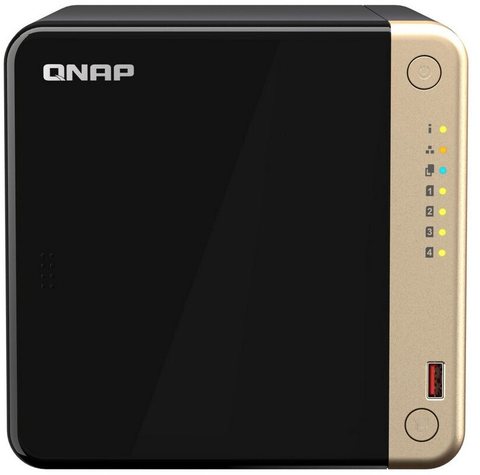
Prices from 9 November 2026, excluding AliExpress. Clicking a price shows today's current price; use “Prices in other countries” to compare countries.

Questions and comments
Ask a question or leave a comment. It appears only after I have approved it.
No approved comments yet.